ChatGPT
Findip 已正式上架 ChatGPT 插件(Plugins) 目录。无需手动填写 URL,只需搜索插件、点击 Connect 并登录 Findip 即可连接。
使用 Findip 团队席位的用户,请先查看团队入门与以团队席位连接 —— 需先接受团队邀请再进行连接。ChatGPT 的 Business · Enterprise · Edu 套餐与 Findip 团队订阅并非一回事。
前置条件
只需一个 Findip 账户即可连接。若 ChatGPT 左侧边栏出现 Plugins 菜单,即可直接开始。公司或学校工作区(ChatGPT Business · Enterprise · Edu)只能连接管理员已允许的应用,请先参阅下方 Business · Enterprise · Edu 套餐 一节。
配置步骤
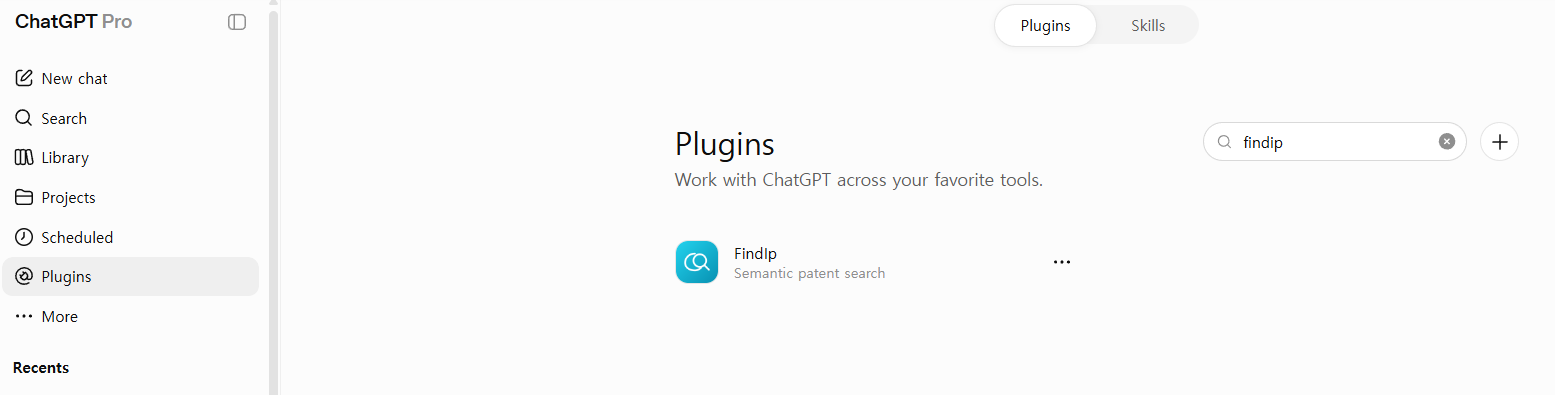
在 Plugins 中搜索 Findip Patent
ChatGPT 左侧边栏 → Plugins(或 Settings → Plugins)→ 在右侧搜索框输入 findip → 在列表中点击 Findip Patent(Semantic patent search)。
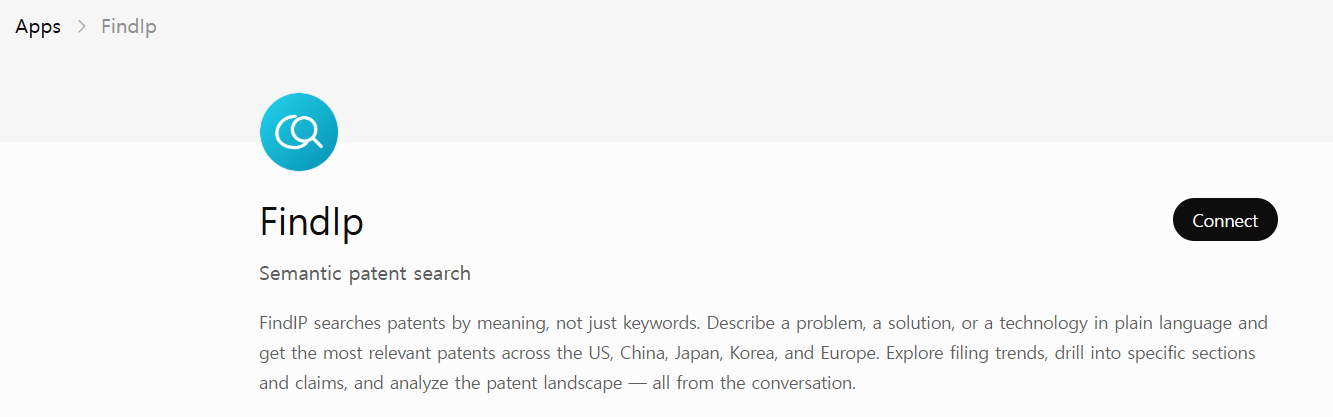
点击 Connect
在 Findip Patent 详情页右上角,点击 Connect 按钮。
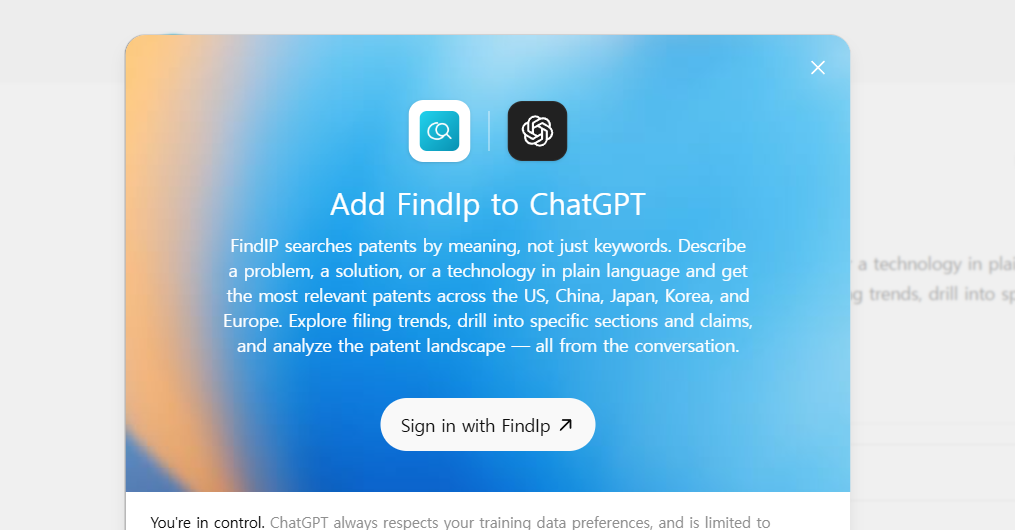
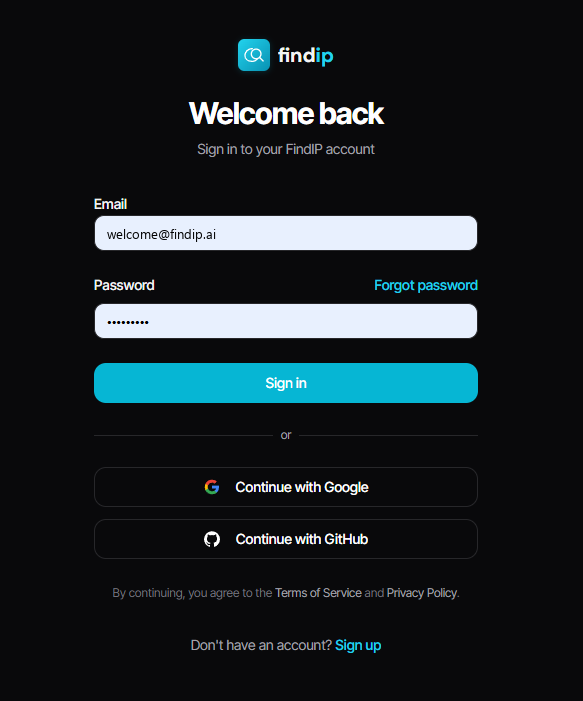
登录 Findip
在「Add Findip Patent to ChatGPT」弹窗中点击 Sign in,然后在后续页面用 Findip 账户登录并授权。
连接完成
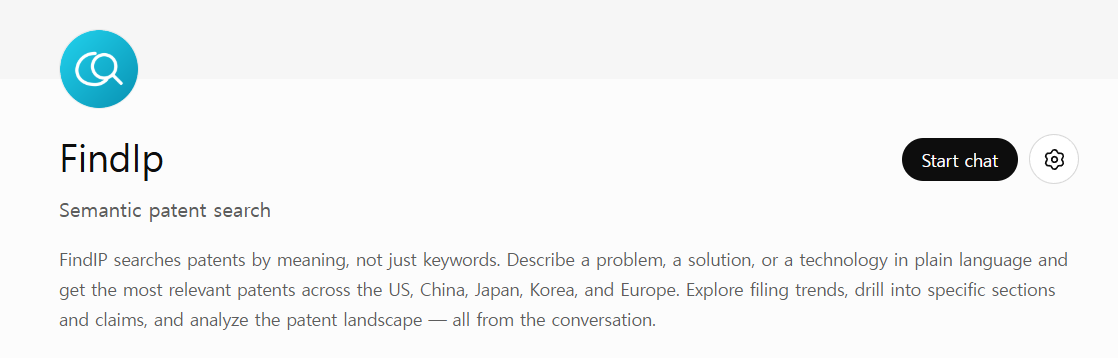
登录后刷新页面,按钮即会变为 Start chat。
⚠️ 需要刷新
登录后按钮可能不会立即变化。刷新页面后才会切换为 Start chat。
在对话中启用 Findip Patent
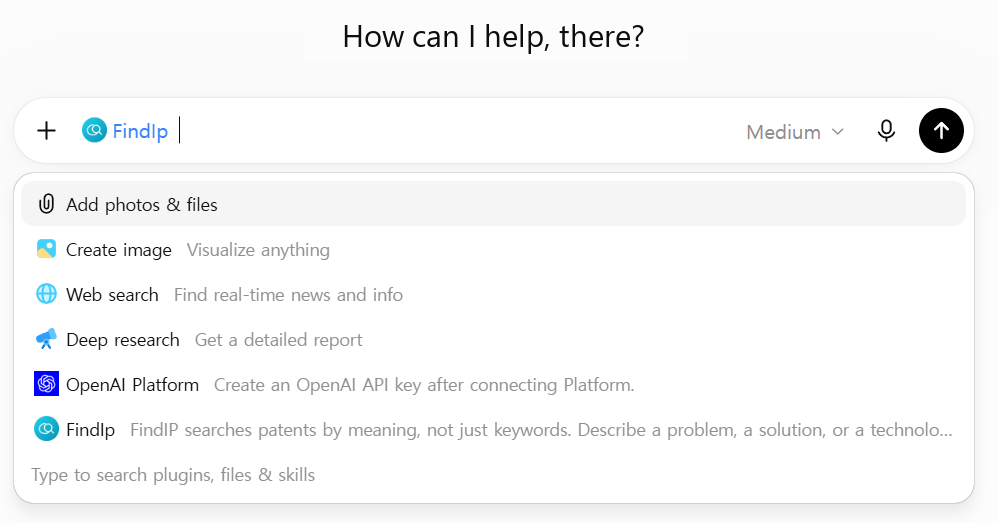
连接完成后,可通过以下三种方式在对话中启用 Findip Patent:
@提及 —— 在输入框中输入@并选择 Findip Patent,即可直接调用。这是最快的方式。+按钮 —— 点击输入框左侧的 +,列表中会直接出现 FindIp。条目较多时可输入名称筛选。- 工具面板 —— 在聊天下方的工具面板中启用。
⚠️ 请在新对话中使用
在安装插件的那个对话中无法直接使用。请先开始一个新对话,再用上述任一方式启用 Findip Patent。
Business · Enterprise · Edu 套餐
在 ChatGPT Business · Enterprise · Edu 工作区中,成员只能连接管理员已允许的应用。 成员可以在应用目录中浏览所有应用,但只能连接工作区管理员已启用(Enabled)的应用。三种套餐的差别仅在于应用功能本身的默认状态 —— Business 默认开启,而 Enterprise · Edu 默认关闭,需由管理员先开启该功能。无论哪种情况,允许单个应用都由管理员决定,而 Findip 登录均由成员各自完成 —— 面向组织的启用与账户认证是两回事。
工作区管理员 —— 允许 Findip Patent
在 Workspace settings(工作区设置)→ Apps & connectors(应用与连接器)中,管理员或所有者可决定工作区能使用哪些应用,以及每个应用被允许执行哪些操作。该页面包含 Enabled / Available / Draft 标签页,请在此启用(Enabled)Findip Patent。
Enterprise 与 Edu 的应用功能本身默认关闭,需先开启该功能,再允许 Findip Patent;Business 的应用功能虽默认开启,但允许单个应用仍由管理员决定。
成员(member)角色无法自行允许应用。 成员请联系管理员。
成员 —— 连接后各自登录
管理员允许 Findip Patent 后,按上方 配置步骤 操作即可:在 Plugins 中找到 Findip Patent,点击 Connect,并用各自的 Findip 账户登录。即使组织已允许该应用,Findip 账户认证仍需每位成员单独完成。
示例提示词
Prompt
"请对比 LG 新能源与三星 SDI 近 5 年在二次电池正极材料单晶合成工艺方面的主要韩国与美国申请。"
常见问题
左侧没有 Plugins 菜单。
可能因地区或 ChatGPT 版本不同而显示不同。请展开左侧边栏的 More(更多) 查看是否有 Plugins,或从 Settings → Plugins 打开。旧版本可能仍显示为 Apps。
列表中没有 Findip Patent,或列表中可见却无法连接。
若为公司或学校工作区(Business · Enterprise · Edu),可能是管理员尚未允许 Findip Patent。在这类工作区中,成员可以浏览应用目录,但只能连接管理员已允许的应用,因此会出现列表中可见却无法 Connect 的情况。成员角色无法自行允许应用,请联系工作区管理员在 Workspace settings → Apps & connectors 中启用。
Findip Patent 不检索。
请确认该对话中已启用 Findip Patent —— 在输入框中输入 @ 并选择 Findip Patent 最为可靠。在安装插件的那个对话中不会生效,请改在新对话中尝试。